My Writing Setup
I have been writing nearly every day this year. I set a timer and just start typing. Some days the words flow, some days I am checking the timer every few minutes. I don’t have an outline or plan, this is simply free-form writing.
The equipment changes, but the ritual stays the same: find a comfortable spot, limit distractions, set a timer, and start.
At my desk
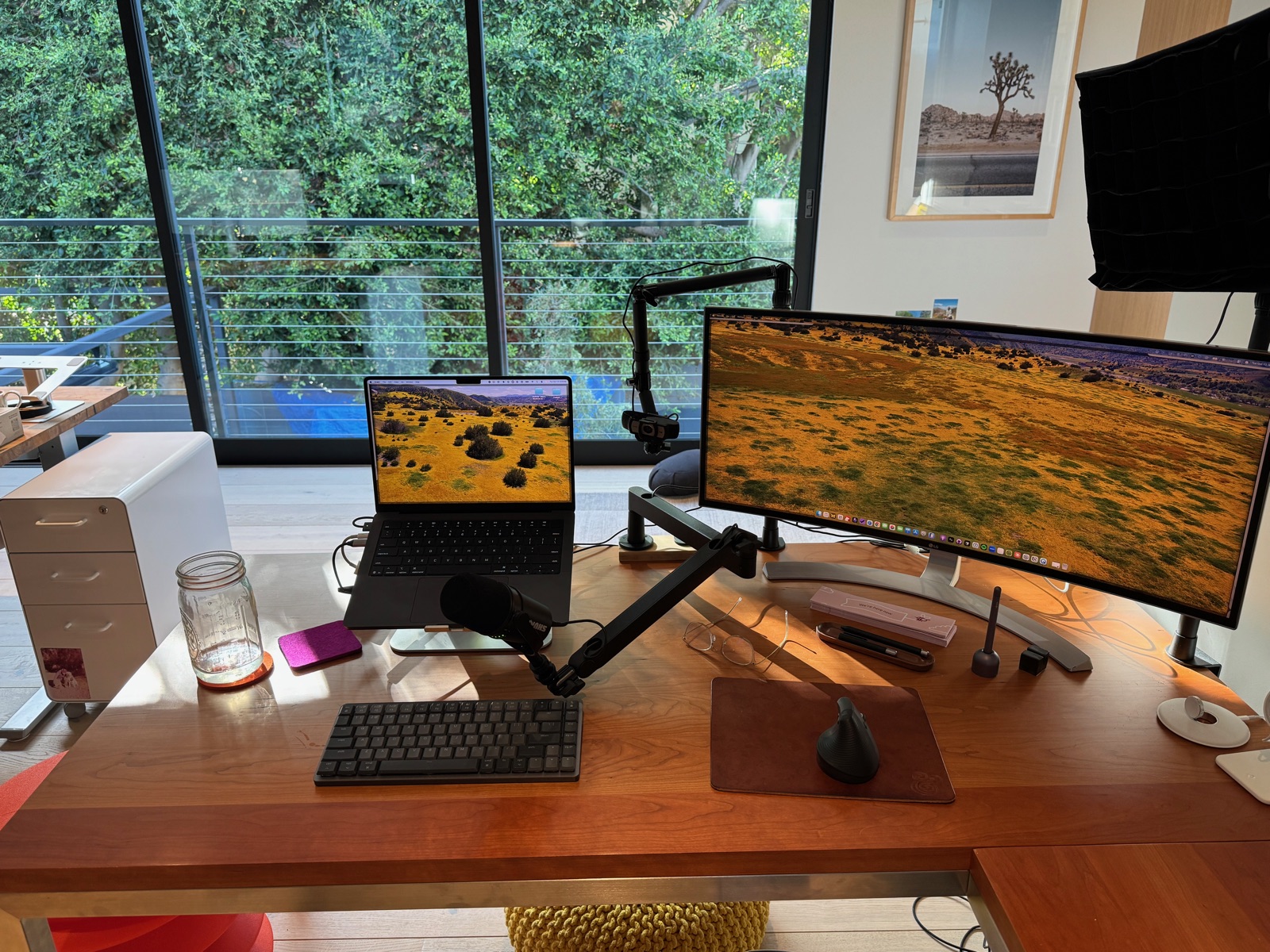
- Laptop: MacBook Pro, 14 inch, M5
- Stand: Rain Design mStand, Silver
- Monitor: LG 34-inch curved ultrawide monitor
- Keyboard: Logitech MX Mechanical Mini for Mac, Space Grey
- Mouse: Logitech Lift vertical mouse, Graphite
- Light: Lume Cube Edge Light 2.0. It attaches to my desk, so it doesn’t add clutter. It can be used as lighting for my video calls but also as soft background lighting. I prefer to not have overhead lights on if I can avoid it. My office gets lots of good natural light.
- Timer: I have a collection of different timers. I switch between sand, digital, mechanical. I also carry one in my sling. I know we all have timers on our phones, computers, and watches, but I much prefer a timer that isn’t attached to me and isn’t techie. I like a standalone timer.
- Chair: Herman Miller Embody
- Foot stool: CB2, I think? I’ve had this since our Santa Monica office days.
- Desk: Room & Board
There’s also a mason jar of water and lots of gum. This might sound odd, but chewing gum is part of my writing routine. Maybe it helps me think? Not sure.
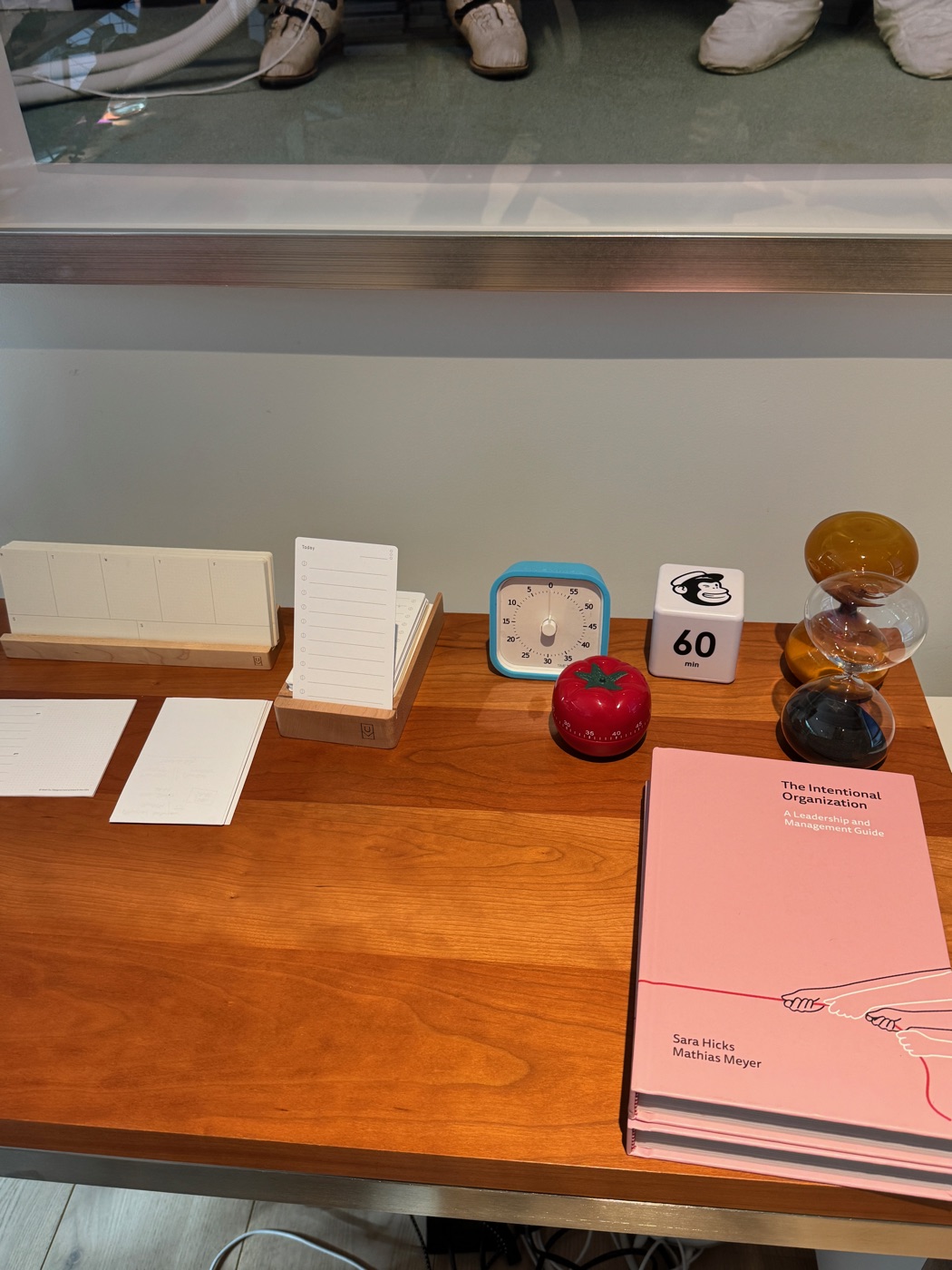
My office has a second desk, also from Room & Board, which I mainly use while standing with my Freewrite. It’s a dedicated writing device with its own keyboard and screen. This is my distraction-free mode: a place to just write.
You’ll also see a camera, mic, and lighting setup in the desk photos. Those are for video calls and podcast recording, so I’m leaving the details out of this writing setup.
Away from my desk
When I travel or want to sit in a comfy chair, I usually use my Freewrite or laptop, though I do have my eye on a BYOK.
BYOK stands for “Bring Your Own Keyboard.” It’s a small, dedicated writing device that pairs with a separate keyboard. Like my Freewrite, it would give me a way to write away from my laptop and its distractions. The appeal of the BYOK is that I’d get to use a keyboard of my choosing. Here’s what I’m considering:
- Writing device: BYOK
- Keyboard: Keychron K3 Max wireless mechanical keyboard
- Stand: BYOK Mini Ring Stand
Software
On my laptop, I use Obsidian for everyday writing and Ulysses for longer-form projects. These are simple, local-first Markdown apps.
I have a separate login on my laptop for writing. This user account has no access to the internet and has a very limited number of apps. Distraction minimization is key for me. When it is time to write, I switch to this user account if I am on my laptop, set a timer, and go.
Pen and paper
I like to write in a notebook with a pen some days. It helps me to think differently and gets me out of ruts. This setup is especially useful when I want to work from a coffee shop.
When I am in planning mode, I start with good old 4x6 inch index cards, especially when I am working on an outline.
- Notebooks: varies between Leuchtturm or Baron Fig
- Pens: varies between Lamy fountain pen (I’ve been enjoying the feeling of writing with a fountain pen), Baron Fig, Sharpie writing pen
Some days I need a keyboard, some days I need a pen. The timer is usually the constant. And some days I just sit on the couch with my laptop on my lap, like I’m doing as I write this post.